
BadshahCric APK Download
APP install guide · Real device tested
This is the Android package used in our latest test
- Version
- 1.0
- File Size
- 35.55MB
- Updated
- 23 Oct 2026
- Tested On
- Samsung A14 Android 14
How to Install
- 1
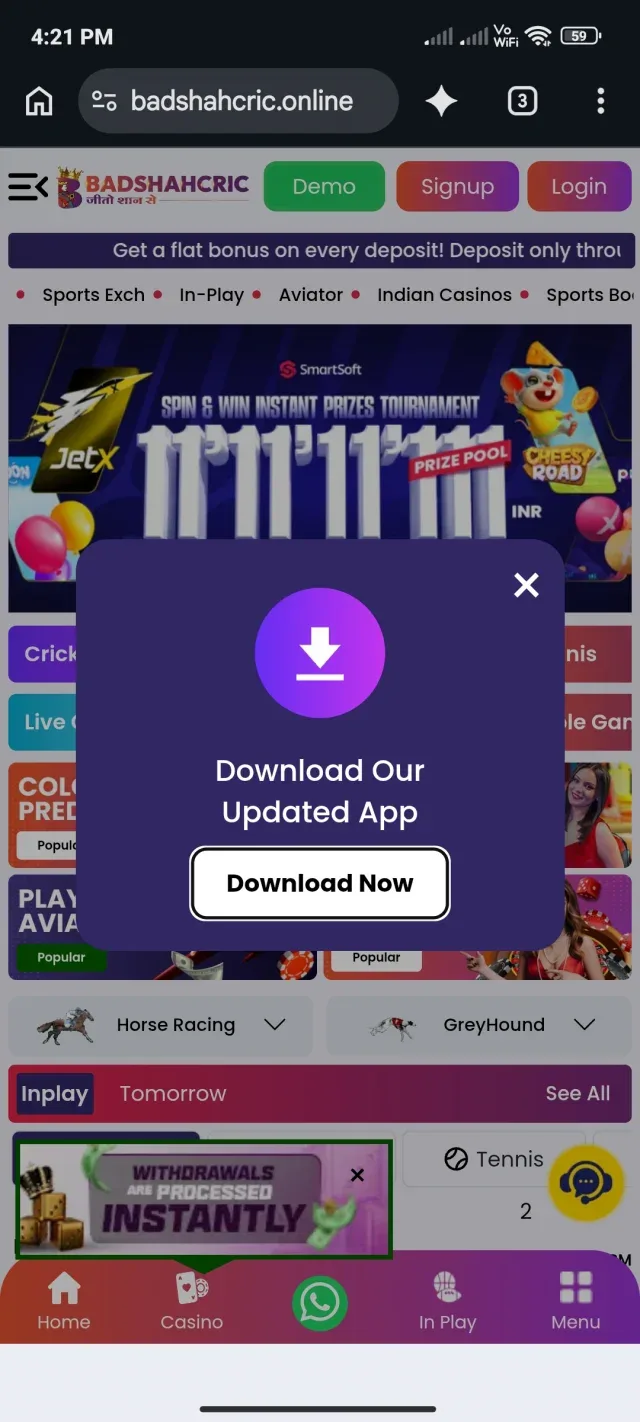
You are on the Badshahcric download page, and an app update prompt is displayed.
Tap the "Download Now" button inside the prompt to start downloading the updated application package onto your phone.
- 2
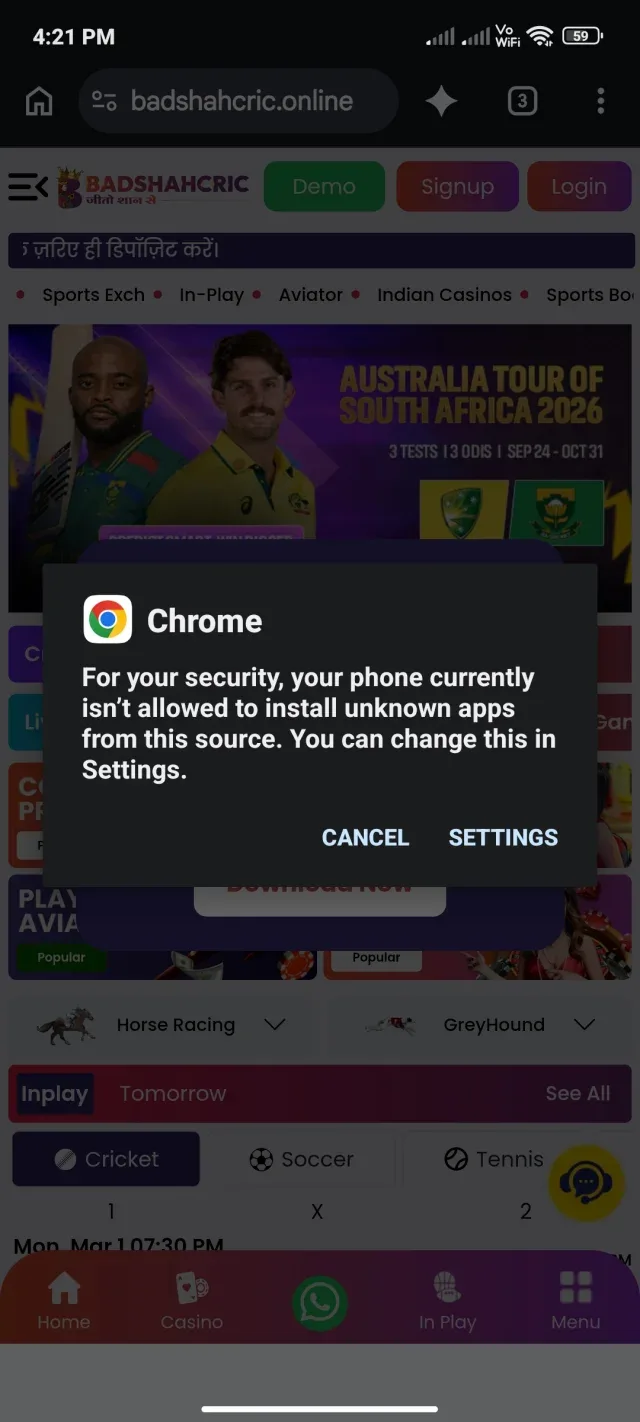
Your device's security settings are currently blocking the installation of unknown apps from Chrome.
Tap the "SETTINGS" button on the popup window to open your device security permissions, and enable "Install unknown apps" for Chrome to proceed with the installation.
- 3
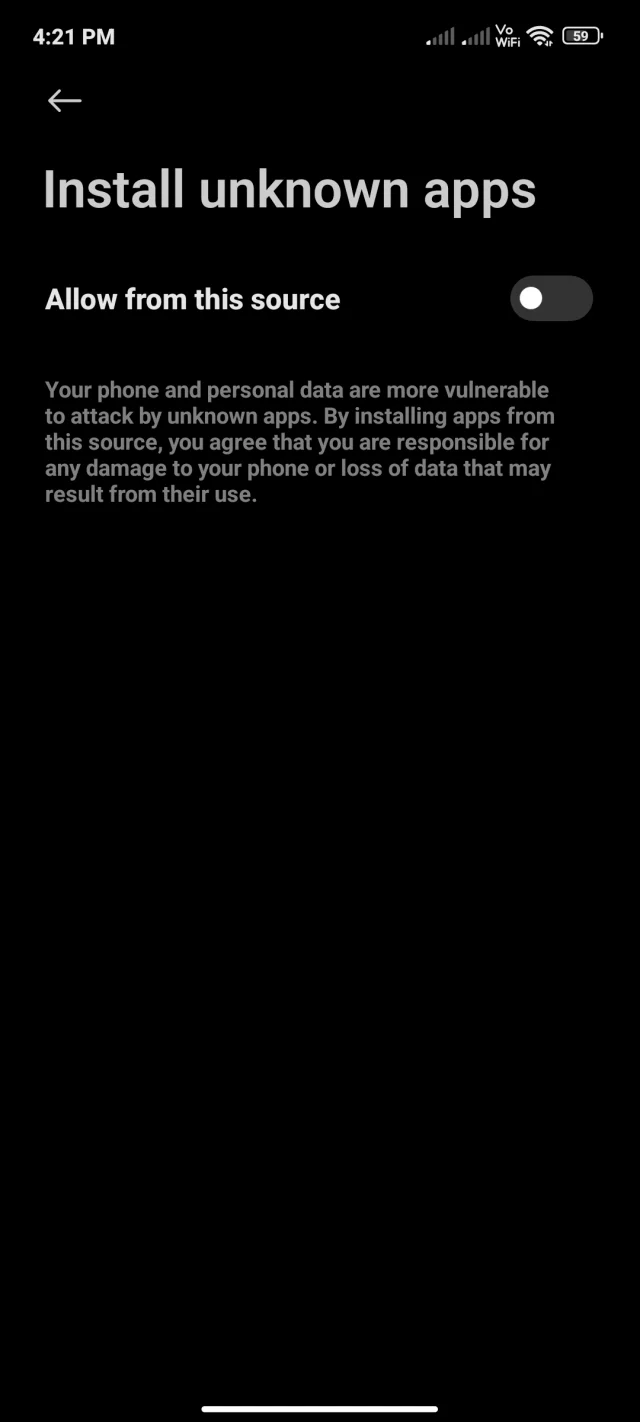
You are in the "Install unknown apps" permission settings screen.
Tap the toggle switch next to "Allow from this source" to enable installations from this source and proceed with setting up the application.
- 4
Your system is displaying a security warning prompt regarding unknown sources.
Tap the circle next to "I'm aware of the possible risks, and assume all possible consequences voluntarily." at the bottom.
Wait for the countdown timer on the OK button to finish, then tap "OK" to proceed.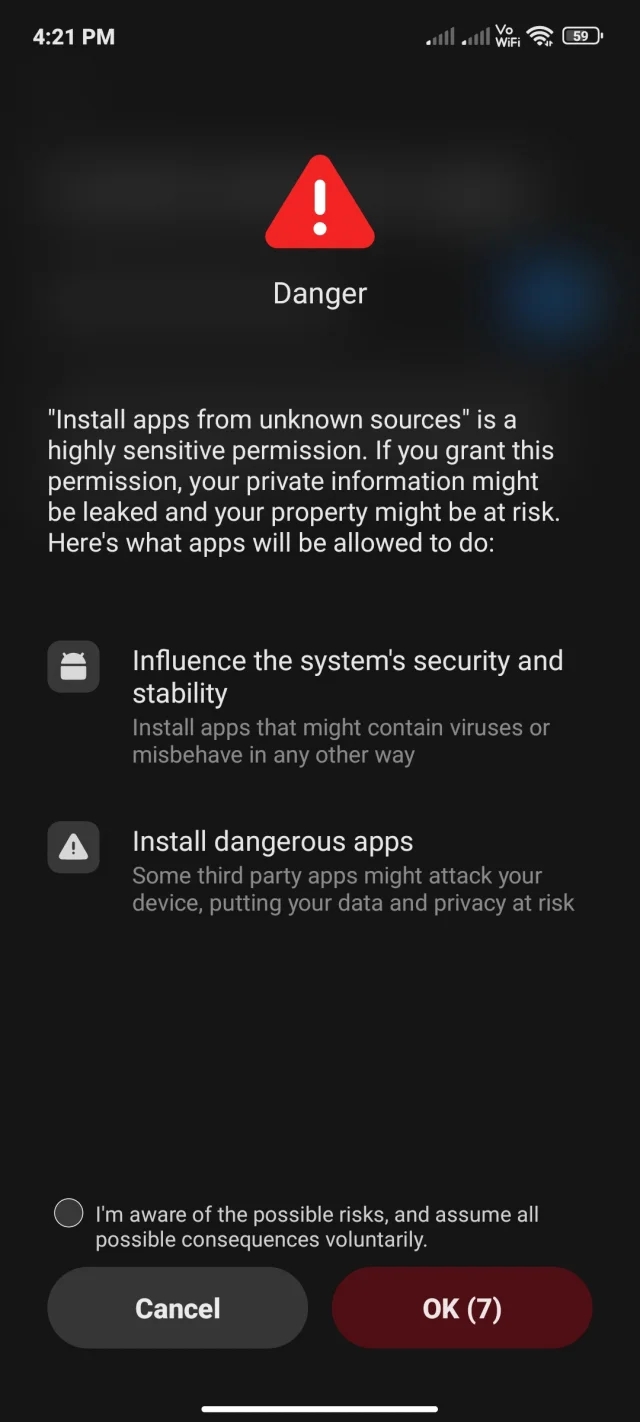
- 5
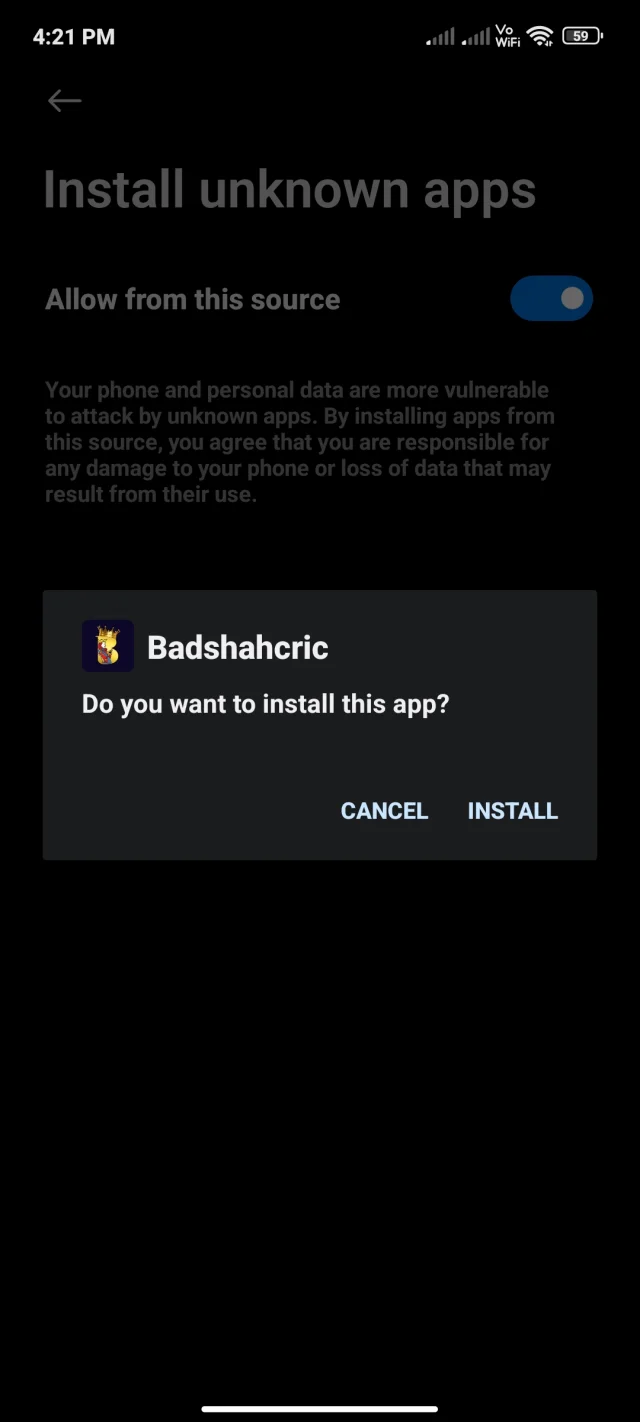
You have enabled installation from this source, and the app installation prompt is now displayed.
Tap the "INSTALL" button on the prompt to finish installing the Badshahcric app on your phone.
- 6
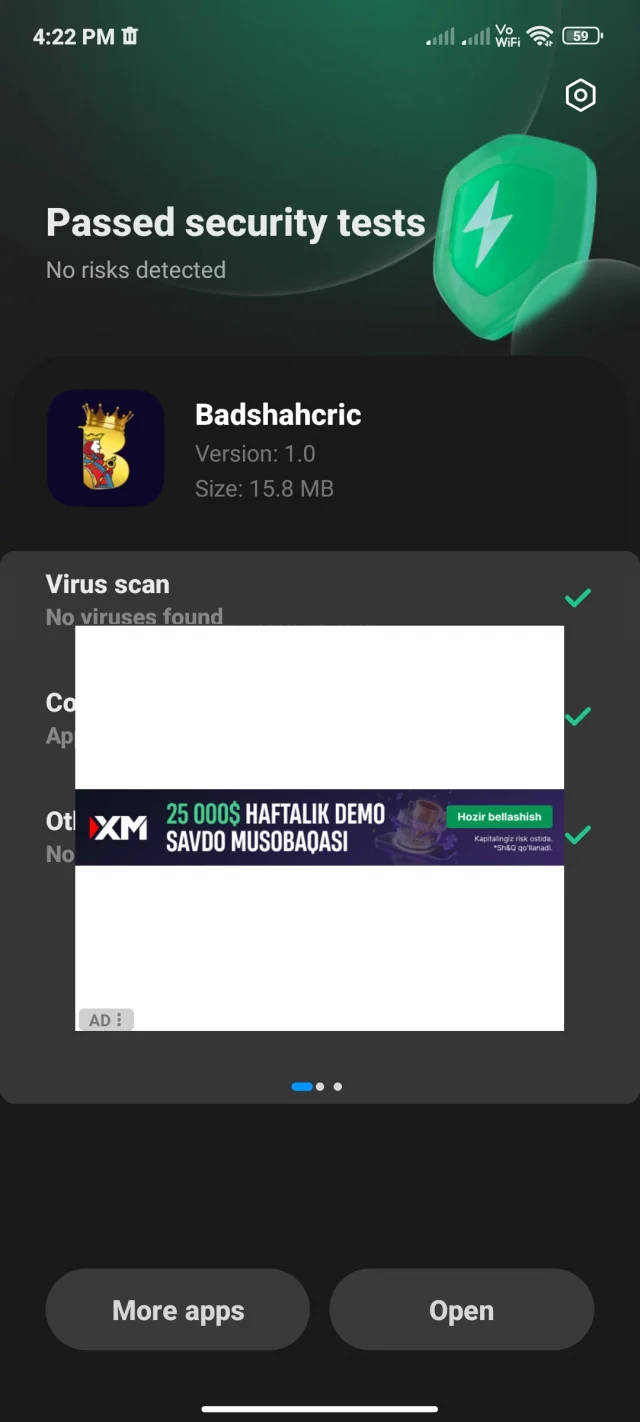
The security scan is complete, and the app has successfully passed without any risks detected.
Tap the "Open" button at the bottom right corner to launch the Badshahcric app and get started!
- 7
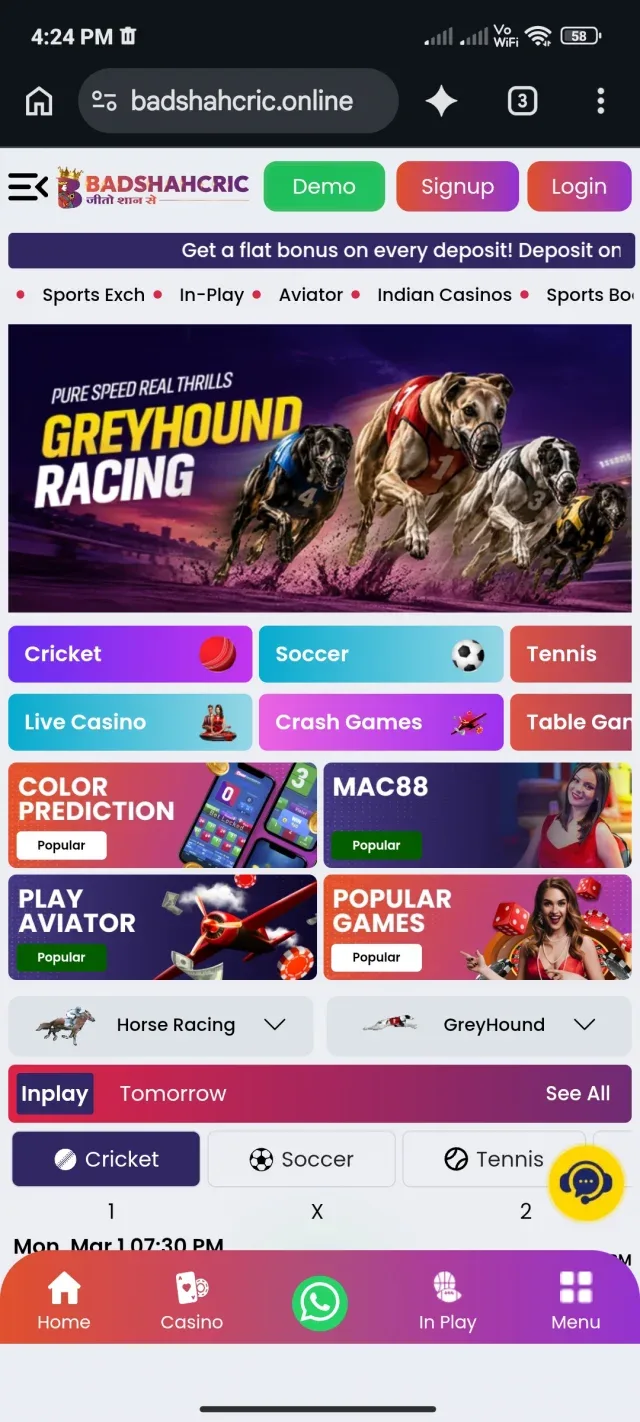
You have successfully installed and opened the app, and you are now on the Badshahcric home dashboard featuring sports, live casino, crash games, and color prediction options.
Tap the "Login" or "Signup" button at the top right corner of the screen to access your account or create a new one and start exploring!
- 8
Disclaimer
The Badshahcric application is a third-party mobile gaming and sports betting platform offering sports exchange, live casino, crash games, and color prediction games.
Financial Risk: Participation in online gaming and sports platforms involves monetary transactions, deposits, and potential financial risks. Users participate at their own discretion and are advised to engage responsibly.
Third-Party Installation: The application is installed via an APK file from an external source, requiring permissions for "unknown sources" on your mobile device. Users should manage their device security settings according to their personal preference.[Screenshot: Disclaimer]
Common Questions
What is the Badshahcric App?
What is the Badshahcric App?
The Badshahcric application is a third-party mobile gaming and sports betting platform offering sports exchange, live casino, crash games, and color prediction games.
How do I download and install the app?
How do I download and install the app?
You can download the application via the official website by tapping the download button, enabling installation from unknown sources in your device security settings, and completing the installation process.
Is the app safe to download?
Is the app safe to download?
The application files undergo security scans on Android devices during installation, but because it is sourced externally via an APK file, users should adjust and manage their device security settings according to their personal preference.
How do I access or create an account?
How do I access or create an account?
Once the app is installed and opened, you can tap the "Login" or "Signup" button located at the top right corner of the screen to sign in or register a new profile.
What types of games and activities are available?
What types of games and activities are available?
The platform features a variety of entertainment options including sports betting exchanges, live casino rooms, crash games, and color prediction titles.